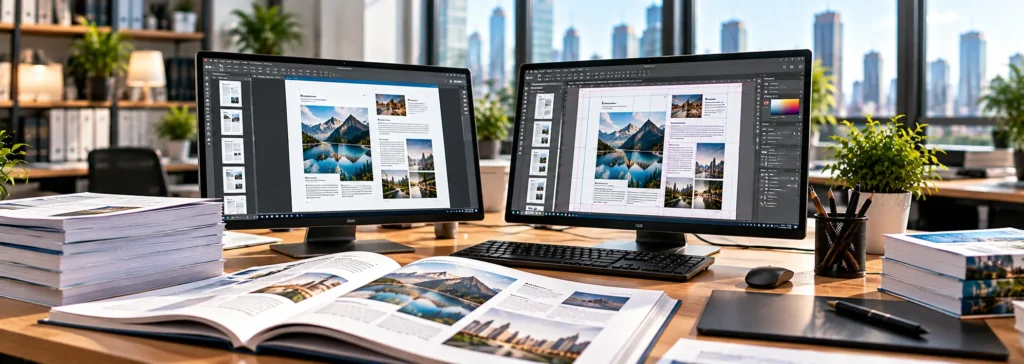
Editable Files from Any PDF
PDF to InDesign Conversion Services: Editable, Print-Ready INDD Files from Any PDF
Lost the source file? We rebuild your PDF as a clean, fully editable Adobe InDesign document with live text, linked images, and structured styles, matched to your original layout page for page.
Manual rebuild by InDesign specialists, not auto-conversion | Scanned PDFs and 30+ languages, including RTL and Asian scripts
Native INDD, IDML, and print-ready PDF delivered
Free, no-obligation quote. Files handled securely under NDA.
A PDF is built to be viewed, not edited. When the original InDesign file is lost, locked in a former vendor’s archive, or never existed, you are left with a flat document that is hard to update, translate, or reuse.
Our PDF to InDesign conversion services rebuild your PDF as a fully editable Adobe InDesign file. Text is live, images are linked, styles are structured, and the layout matches your original page for page. We work with publishers, agencies, manufacturers, and localization teams around the world, in English and in more than 30+ languages, including right-to-left and Asian scripts.
What Are PDF to InDesign Conversion Services?
PDF to InDesign conversion is the process of recreating a PDF as a native, editable InDesign (.indd) document. It is not a one-click export. Automated converters and the “Open PDF in InDesign” workflow typically produce broken text frames, missing fonts, misplaced images, and layouts that are unusable for real production.
Our designers rebuild each page manually, using the PDF as the visual reference. The result is a clean, professional file that behaves like one built from scratch, so your team can edit it, repurpose it, and send it to print or digital publishing without problems.
Why Convert a PDF to InDesign?
Businesses typically come to us for one of these reasons:
- The source file is lost or unavailable. Former designers, agencies, or software migrations can leave you with only the final PDF.
- You need to update content. Prices, specifications, legal text, or contact details have changed, and the PDF cannot be edited cleanly.
- You are translating a document. Translators and localization teams need an editable layout so translated text can be placed properly. See our Multilingual DTP and Localization Services.
- You want to repurpose content. A brochure becomes a web banner, a catalog becomes an e-book, or a report becomes a presentation.
- You are rebranding. New fonts, colors, and logos can be applied only when styles and assets are properly structured.
- You need a print-ready file. A low-quality or web-optimized PDF must be rebuilt at correct resolution, with bleed and color settings for the press.
Our PDF to InDesign Conversion Services
PDF to Editable InDesign (INDD) Conversion
We recreate the full layout as a native INDD file, with live text, linked images, and vector graphics. Fonts, spacing, and alignment are matched to the original, and the finished file is built to be edited easily by your team.
Scanned PDF to InDesign Conversion
If your PDF is a scan or an image-only file, we first extract the text using OCR and proofread it against the original, then rebuild the layout in InDesign. This is common for older catalogs, manuals, books, and archived documents. Learn more about our OCR Services and Multilingual OCR Services.
Multilingual PDF to InDesign Conversion
We handle PDFs in Latin, Cyrillic, Arabic, Hebrew, Chinese, Japanese, Korean, Thai, Hindi, and many other scripts. Our teams use native-language DTP specialists, so text direction, line breaking, hyphenation, and font choices are handled correctly.
Complex Layout and Design-Heavy Conversion
Magazines, annual reports, catalogs, data-rich brochures, and textbooks involve multi-column text, tables, callouts, charts, and layered graphics. We rebuild these elements with proper structure, not as flattened shapes.
Bulk and Ongoing PDF Conversion
Large archives, multi-volume publications, and recurring conversion needs are supported by dedicated teams and consistent templates. Our DTP Outsourcing Services are a good fit for continuous workloads.
InDesign Output for Print, Digital, and E-Book
Once converted, files can be delivered as print-ready PDFs, interactive PDFs, IDML for version compatibility, packaged INDD folders, or exports for e-book and web use.
How Our PDF to InDesign Conversion Process Works
- Review and quote. Send us your PDF, along with any fonts, images, or brand guidelines you have. We assess page count, complexity, languages, and graphics, then send a clear quote and turnaround time.
- File analysis. We check whether the PDF contains live text, outlined text, or scanned images, and identify embedded fonts, color modes, and image resolution.
- Text extraction and OCR. Live text is extracted directly. Scanned or outlined text is processed through OCR and manually verified.
- Layout rebuild. Our InDesign specialists rebuild every page: master pages, grids, text frames, tables, and graphics, matched to your original design.
- Style structuring. We apply paragraph, character, object, and table styles, along with swatches and layers, so the file is clean and efficient to edit.
- Quality check. Each page is compared against the source PDF for layout accuracy, font consistency, text integrity, and image quality. For multilingual files, a native-speaking reviewer checks the text.
- You receive the packaged INDD file with linked assets and fonts (where licensing allows), plus a print-ready PDF for comparison.
What You Receive
- Fully editable InDesign (.indd) file, with IDML on request
- Packaged folder with linked images, fonts, and assets
- Organized paragraph, character, object, and table styles
- Properly structured master pages, layers, and swatches
- Print-ready or digital PDF for final comparison
- Free minor corrections after delivery
Editable Quality, Not Just Visual Similarity
A converted file that only looks right is not enough. Poorly built files cause trouble the moment someone tries to edit them. We focus on:
- Live, editable text with no outlines, broken lines, or hidden text boxes
- Consistent styles that make global changes fast
- Accurate typography including kerning, tracking, leading, and hyphenation
- Correct image handling with linked, high-resolution assets at proper color settings
- Clean file structure with named layers, organized masters, and no stray objects
- Fidelity to the original so the converted file matches your PDF closely
Industries We Serve
Our PDF to InDesign conversion services support clients in:
- Publishing and education
- Manufacturing and engineering (manuals, datasheets, catalogs)
- Pharmaceutical and healthcare documentation
- Legal and financial reporting
- Marketing and advertising agencies
- Travel and hospitality
- Government and nonprofit organizations
- Translation and localization companies
Common Documents We Convert
Brochures, catalogs, magazines, books and e-books, annual reports, user manuals, technical documentation, product datasheets, flyers, posters, newsletters, price lists, training materials, and corporate presentations.
For Word or PowerPoint source material, see our Word & PowerPoint DTP Services. For full InDesign production, see our InDesign DTP Services and Book DTP & Typesetting Services.
Why Choose Global Digital DTP?
- Manual rebuild, not auto-conversion. Experienced designers recreate each file, so the result is production-ready.
- Multilingual expertise. Native-language specialists handle complex scripts and right-to-left layouts.
- Strict quality control. Every file is checked against the source before delivery.
- Scalable capacity. From a single brochure to thousands of pages.
- Your files are handled securely under NDA when required.
- Clear communication and fast turnaround. You get a transparent quote and a realistic schedule from the start.
PDF to InDesign Conversion Services FAQs
Can any PDF be converted to InDesign?
Yes. Whether the PDF contains live text, outlined text, or only scanned images, we can rebuild it as an editable INDD file. The complexity of the layout and the quality of the source affect time and cost.
Why not use Acrobat or InDesign’s built-in PDF import?
Automated tools often split text into fragments, substitute fonts, misplace images, and produce files with no usable structure. They can be a starting point, but the output generally needs full manual rebuilding to be production-ready.
Will the converted file match my original PDF exactly?
We aim for a faithful match in layout, typography, and imagery. Where the PDF uses fonts you do not have licensed, we match them as closely as possible or use a substitute you approve.
Can you convert a scanned PDF to InDesign?
Yes. We use OCR to extract text, proofread it, and rebuild the layout. Image quality and print condition influence accuracy, so we verify everything manually.
Do you convert PDFs in languages other than English?
Yes. We work in over 30 languages, including Arabic, Hebrew, Chinese, Japanese, Korean, Thai, and Indic scripts.
What file formats do you deliver?
INDD and IDML, plus PDF, with packaged fonts and links. We can also provide exports for e-book or web use on request.
What is the cost of PDF to InDesign conversion?
Pricing depends on page count, layout complexity, languages, and whether OCR is needed. Send us your file for a free, no-obligation quote.
How long does conversion take?
Simple documents can be delivered within a day or two. Larger or more complex projects are scheduled based on volume. Rush service is available.
Is my content kept confidential?
Yes. We handle all files securely and sign NDAs on request.
Related services: InDesign DTP Services · Multilingual Desktop Publishing Services · Multilingual Typesetting Services · OCR Services · DTP Outsourcing Services
Get a Free Quote for PDF to InDesign Conversion
Send us your PDF and tell us what you need. We will review the file and reply with a clear quote and turnaround time.
Email: info@globaldigitaldtp.com | Phone/WhatsApp: +91 8826707501