Odia DTP Services for Books, Manuals, Brochures and Reports
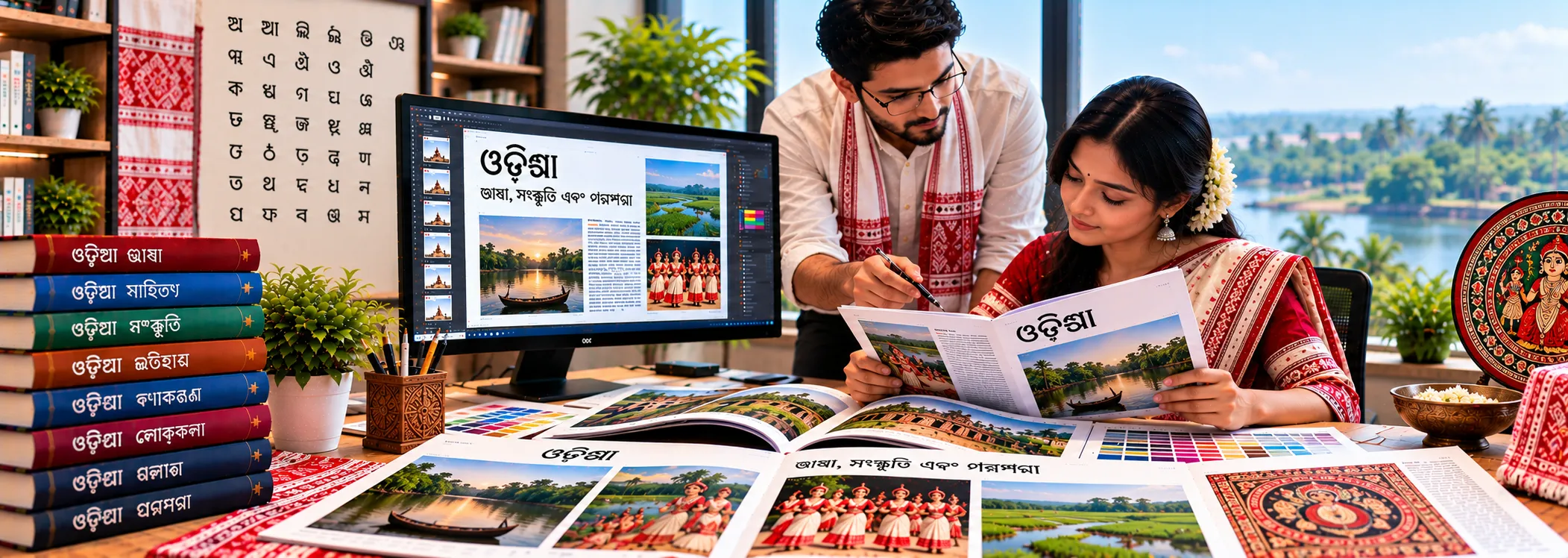
Global Digital DTP provides Odia DTP services for publishers, translation agencies, government bodies, NGOs, educators and businesses that need Odia (ଓଡ଼ିଆ) content laid out cleanly and accurately. We typeset translated text in Odia script, rebuild documents in Adobe InDesign, Word or PowerPoint, and deliver print-ready and digital files that look as polished as your English originals.
Odia content breaks easily in the wrong hands. A misplaced vowel sign, a broken conjunct or a fallback font can change how a word reads. Our Odia DTP team works with Unicode-based workflows and checks every page visually, so your document reads correctly before it goes to print or online.
What Our Odia DTP Services Include
Odia typesetting and layout. We place Odia text into your design, adjust line breaks, spacing and alignment for the script, and keep headings, tables, captions and callouts consistent from page to page.
Translated file formatting. Once your translator delivers Odia text, we reflow it into the original design. We handle text expansion, font substitution and layout changes so the translated version matches the source file’s look and structure.
PDF to InDesign conversion for Odia. If you only have a PDF, we rebuild the document as an editable InDesign file with live Odia text, proper styles and linked images, so you can update it later without starting over. See our PDF to InDesign Conversion Services.
Word and PowerPoint formatting. We format Odia reports, forms, training decks and presentations in Microsoft Word and PowerPoint, with correct fonts embedded and layouts that stay stable across devices.
Print-ready and digital output. We deliver press-ready PDFs with fonts embedded, bleeds and crop marks where needed, as well as web PDFs, e-book formats and editable source files. Learn more about Print-Ready File Preparation.
Layout proofing. We review the final Odia pages for broken conjuncts, missing glyphs, wrong vowel-sign placement, inconsistent numerals and overflow, and correct what we find.
Why Odia DTP Needs Specialist Handling
Odia is the official language of Odisha and is spoken by tens of millions of people. Its script is known for rounded letterforms, a large set of consonant conjuncts and vowel signs that attach above, below, before or after the consonant. These features are what make Odia beautiful, and what make it difficult to typeset with tools built for Latin text.
- Conjuncts (juktakshara). Consonant clusters must form the right ligature. If the font or composer does not support them, you see visible breaks or the wrong shape.
- Vowel signs (matras). Signs can sit on either side of the base letter or stack above and below it. Incorrect shaping or editing can detach them.
- Unicode and fonts. Reliable output depends on Unicode text and fonts with full Odia coverage, such as Noto Sans Oriya or Noto Serif Oriya. Missing glyphs and silent fallback fonts are common in files that were not built for the script.
- Legacy encodings. Older Odia files are sometimes typed in non-Unicode fonts. Copying that text into modern software produces unreadable characters, so we convert it carefully and verify the result.
- Line breaking and justification. Odia lines should break at sensible points without splitting clusters, and justified text needs spacing that does not distort the letterforms.
- Numerals. Documents may use Odia digits or Western digits. We confirm your preference and apply it consistently, including in tables, page numbers and references.
Our team sets up the correct text engine, such as InDesign’s World-Ready Paragraph Composer where appropriate, tests the fonts against your content, and reviews the pages on screen and in PDF before delivery.
Documents We Typeset in Odia
- Textbooks, workbooks and educational material
- Government notices, forms and public information documents
- Healthcare leaflets, patient information and training manuals
- NGO reports, awareness campaigns and community material
- Corporate brochures, catalogs, annual reports and presentations
- Legal, financial and compliance documents
- Software, product and user manuals
- Books, magazines, newsletters and journals
If your document type is not listed, send it over and we will tell you how we would approach it.
Our Odia DTP Workflow
- Review your files. Share your source files, or a PDF, along with the Odia text and any style guide. We check file types, fonts, images and special requirements.
- Prepare the Odia text. We verify that the text is Unicode, flag any encoding problems and check it against the English or source version for completeness.
- Set up the layout. We choose or confirm Odia fonts, build paragraph and character styles, and configure the layout for the script.
- Typeset and format. We place the text, adjust spacing and line breaks, handle tables and images, and match the original design as closely as the script allows.
- Proof and correct. A layout check covers conjuncts, vowel signs, fonts, numerals, page breaks and alignment. We can also coordinate with your Odia linguist, who reviews the typeset pages and sends corrections.
- Deliver. You receive final PDFs and, if you want them, the editable source files with fonts and links packaged.
For a closer look at the process, see our Multilingual DTP Workflow.
Working With or Without Source Files
You do not need perfect files to start. We work from InDesign, Word, PowerPoint, Illustrator or Photoshop files when you have them, and we rebuild from PDFs or even scans when you do not. If your design includes text inside images, we can also help with image localization so that graphics match the Odia version.
Why Choose Global Digital DTP for Odia
- Script-aware production. Odia is handled as a complex script, not as a plain text swap.
- Consistent results. Styles, templates and checklists keep multi-page and repeat projects uniform.
- Linguist-friendly process. We work smoothly with your translators and reviewers, and we make correction rounds simple.
- Part of a wider language service. We also support other Indic and multilingual projects, including Bengali, Assamese and Hindi, so bilingual and multilingual documents stay in one workflow.
- Clear communication. You get a straightforward quote and a realistic schedule based on page count, complexity and file condition.
Frequently Asked Questions About Odia DTP Services
What are Odia DTP services?
Odia DTP services cover the typesetting, layout and formatting of documents in Odia script. That includes placing translated text into a design, correcting conjuncts and vowel signs, converting PDFs to editable files and preparing print-ready or digital output.
Do you work with Unicode Odia text?
Yes. We work with Unicode text and fonts that support the Odia script. If your text was typed in a legacy font, we convert it to Unicode and check the result before layout.
Can you convert an Odia PDF to InDesign?
Yes. We rebuild the document in InDesign with live Odia text, styles and linked images, so the file is editable and ready for future updates.
Which software do you use for Odia typesetting?
We use Adobe InDesign for most layout work, and Microsoft Word and PowerPoint when your project requires those formats. We also work with Illustrator and Photoshop files for graphics.
Which fonts do you use for Odia?
We select fonts with full Odia coverage, such as Noto Sans Oriya and Noto Serif Oriya, or use brand fonts you provide after testing that they support the script. We embed fonts in final PDFs.
Can you match our existing English layout?
Yes. We match your original design, accounting for how Odia text spacing and length differ from English, and we adjust layouts where needed.
Do you translate the text too?
Our core service is DTP. If you need translation or linguistic review, we can work with your translation partner or coordinate it with you, so that the final layout reflects approved text.
What file formats will I receive?
Typically a print-ready PDF and a web-optimized PDF. On request we also deliver packaged InDesign files, Word or PowerPoint files and e-book formats.
How is pricing determined?
Pricing depends on the page count, document complexity, file condition, number of images and tables, and turnaround time. Send us your files for a clear quote.
How can I get a quote?
Use our Request a Free Quote page, or contact us with your files and requirements.
Get a Quote for Your Odia DTP Project
Send us your files and a short brief, and we will respond with a clear scope, timeline and price.
Whether you have a single brochure or a full publishing project, our Odia DTP team will help you deliver clean, accurate pages.
Email: info@globaldigitaldtp.com | Phone/WhatsApp: +91 8826707501